Intel Mutant 0000 CPU BIOS Modding
Published: June 01, 2023Introduction
I started self-hosting in 2022 with a Lenovo office PC my dad got for free. It had an AMD A10-7800, 12GB RAM and 2TB HDD, which I added a 256GB SSD into.
For most Docker and Linux applications, the system worked well. Jellyfin was where it started to struggle. The CPU's integrated graphics lack hardware acceleration, and the CPU itself? Forget about it.
In 2023, I came across Putting a Laptop CPU in my Home Server from Wolfgang Channel. He modified the BIOS of an older Intel motherboard to support a newer 8th-generation CPU and used an affordable Xeon E-2176M laptop processor with good video-transcoding capabilities.
This video sparked my interest.
Previously, I had never purchased any used hardware, let alone modded hardware. That was about to change. Besides, as a broke university student, I didn't have many options.
Video Transcoding
It is worth briefly explaining why video transcoding mattered so much for this project.
Jellyfin, a self-hosted media streaming server, can convert a media file to different formats and resolutions on the fly, so that it can be played on a device where it doesn't support the original format, without the need to pre-convert the media file. This is useful when the client device cannot directly play the original file.
I am very particular about video quality and I ensure all my devices can direct play all videos without any quality loss, especially on a large TV. However, transcoding is needed to stream over low bandwidth connections. If the internet upload is 10Mbps, it's physically impossible to stream a video at 20Mbps (unless you want to spend twice the time watching the thing). Period.
In oracle-vps, I used my RTX 2070 to transcode movies down to around 10 Mbps so my parents could stream reliably. Back in 2023, my home internet had only around 15 Mbps of upload bandwidth, so if I wanted to leave my media home and stream from my dorm, transcoding was essential.
Speaking of GPUs, my RTX 2070 has NVDEC/NVENC, which uses specialized hardware to decode and encode videos, or hardware acceleration. It's faster and more efficient than software transcoding which uses the CPU. For context, my Ryzen 1700 can transcode a 4K HDR video at 30fps, whereas the RTX 2070 achieved 220fps.
Obviously, if I leave the GPU at home, then I can't play games (or even boot the computer) on my dorm PC, and a discrete GPU also adds significant idle power consumption.
Fortunately, Intel has Quick Sync Video (QSV) built into the CPU's integrated graphics, and modern Intel CPUs are power efficient. Anything Intel 7th gen (Kaby Lake) and newer can transcode 4K HEVC HDR remux videos. QSV is the way to go for a low power, low cost, and efficient transcoding solution.
Home PC/Server
Homelabbers recommend a used SFF office PC for a quiet, compact and low-power home server. Except in 2023, these PCs with 7th+ gen come at a luxury, (it's like the "scalpers" I mean sellers knew what we want).
And I didn't just want an office computer.
When I returned home to Vancouver from Edmonton for summer, I brought with me the RTX 2070, SSDs, my 14TB hard drive, and 32GB of RAM.
My plan was to build one machine that could serve two purposes. A proper desktop so I could play games. And the same machine as a low-power media server when I go back.
I did not bring my motherboard because it was too large to carry on the flight, but I can look for an Intel CPU and motherboard locally. On the day of my flight, I found a listing for an i5-9400 and a B365 motherboard for C$150, and the seller agreed to meet up the next day. Except on that day when I was about to leave for the 3-hour commute, the seller sold the item.
Choosing the CPU
At that point, the BIOS-modding idea started looking more appealing.
Then I discovered mutant CPUs; these were originally laptop CPUs the sellers adapted to an LGA1151 motherboard. Unlike installing a normal unsupported Coffee Lake CPU, the mutant is already modified, without the tedious step of covering some pins with tape.
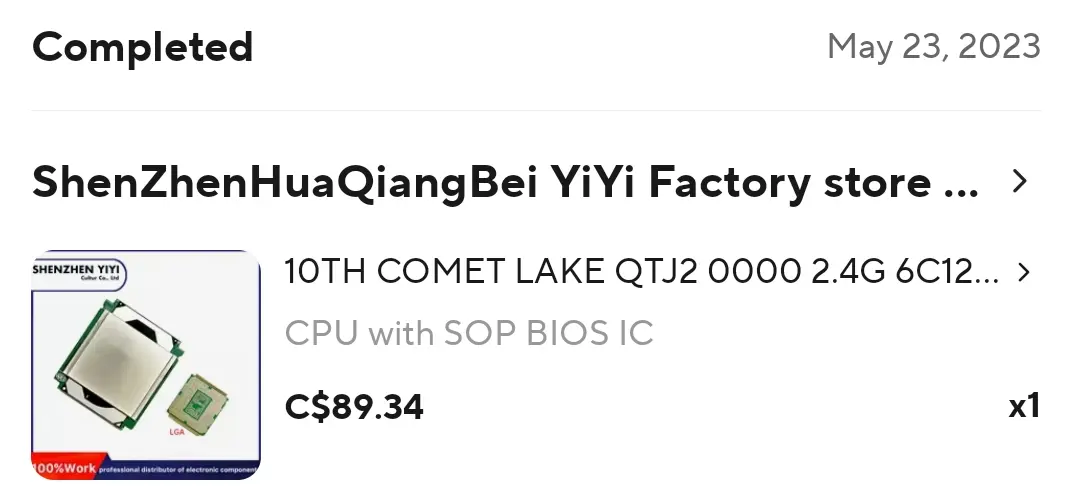
LGA 1151 mutants QTJ2, QQLT, QQLS – test and comparison - Miyconst hardware shows the performance of some of the mutant CPUs. The options I considered on AliExpress were
-
QTJ2 — around C$86 - 6c12t, Comet Lake?
-
QQLT — around C$100 - 8c16t, Coffee Lake
The QQLT offered higher multi-threaded performance. However, the QTJ2 showed good performance in gaming workloads. For me, the additional CPU performance was not worth paying for; the QTJ2 should be sufficient for my temporary gaming and media server needs.
The CPU was also available in two physical versions: bare die and one with an additional metal plate. The AliExpress seller specifically recommended that I purchase the plated version if I wanted to use an Intel stock cooler, so that is what I ordered.
Choosing the PC
The CPU can work with a 100/200 series motherboard with a modded BIOS, so this opened up many options: motherboard/CPU combos or full systems. One day, I found a listing for a media PC for C$150 and I offered C$130 which he accepted.
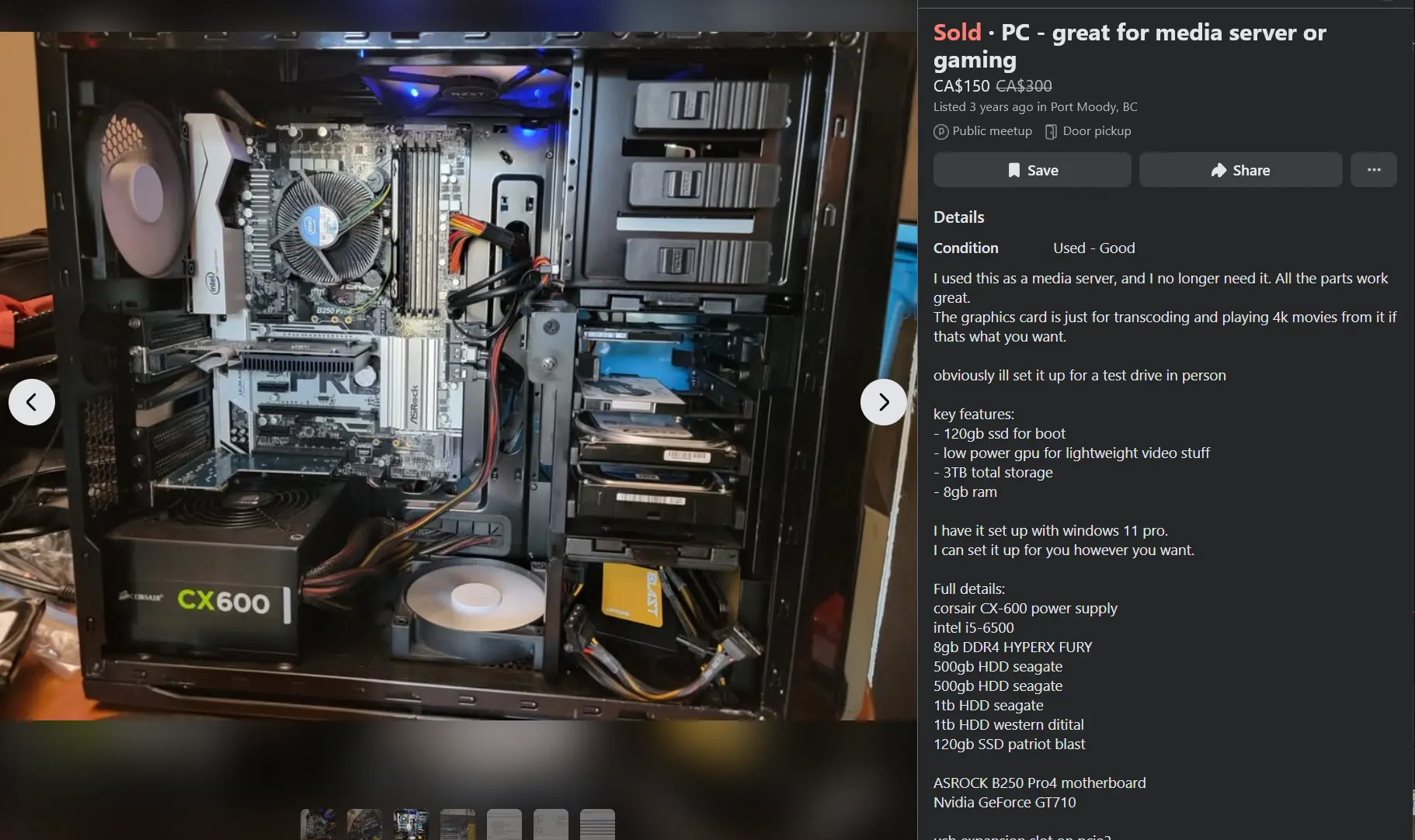
The system included
- Intel Core i5-6500
- ASRock B250 Pro4 motherboard
- 8GB RAM
- Multiple hard drives
- 600W power supply
- case with hot-pluggable drive bays and plenty of SATA cables
The B250 Pro4 met the requirements for the mutant CPU, and the AliExpress seller confirmed he had a modified BIOS for it. The 6th gen i5 and 8GB RAM didn't matter to me; I could sell the i5 later and I already had 32GB available for the summer and planned to purchase 16GB later when the machine became a dedicated server.
Rather than assembling everything from individual parts, buying a complete working system gave me almost the entire hardware platform I needed in one go.
Motherboard Bricked and Other Casualties
The system was working well with the original i5-6500. Then the QTJ2 and CH341A programmer arrived and I was ready to mod the BIOS. The BIOS chip is SOP8, which is tedious to flash. I had to use a clip that came with the programmer.
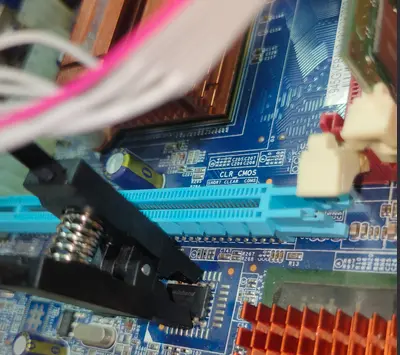
This is just an example using a random motherboard, not the actual motherboard from this build.
I used the ASProgrammer to flash the chip. It probably worked, but there's a high chance I bricked it, because after what happened next, I didn't even know whether it was done.
The seller sent me a video with CPU installation instructions, and there were some washers that needed to be installed, because the CPU has a custom plate which made it higher than LGA1151 CPUs.
But I forgot to install them. When I pulled down the latch, I heard some scratching sounds and that's not good. There were bent pins in the socket. The damage was so severe that I could not realistically fix it.
That was not the only casualty: when plugging my CH341A in my Lenovo laptop, it warned about high power USB devices. And a few days later, all the USB ports (including Bluetooth/webcam) stopped working.
Not only did I not have a working gaming PC/home server, but my laptop was also crippled.
Rock and a Hard Place
The laptop was originally purchased from Costco in 2021, way past the 90-day return window and the Lenovo warranty. Fortunately, it's still under Costco warranty. Except they refused to repair it because it had cosmetic damage, oh well, I dropped it on concrete just a few months ago.
The laptop with the refused warranty claim eventually led to laptopserver later on. But now, I was down
- a Lenovo laptop
- a motherboard
- $100 from the mutant CPU and CH341A
And I'm only up $50 from selling the i5 6500 and the 1TB HDD from that media PC.
My parents recommended that I just buy new hardware from Best Buy/Amazon, and return the mutant CPU to China.
I certainly don't want a new PC because it's expensive and I have to pay tax (12% in BC), shipping the CPU back to China cost an additional C$60. After the cost of the mutant CPU, giving up was difficult to accept; it was a sunk cost fallacy.
I limited myself to only 100/200 series motherboards because I refused to give up the QTJ2. I found a Z170 for C$70, but it's in Richmond and gas is expensive. When I asked my mom on her opportunistic trip to Richmond, the motherboard had been sold.
Second Attempt
After a miracle, I eventually found a B150M for C$50, exactly what I needed. The board has a removable DIP8 BIOS chip, which makes it much easier to flash.
The seller agreed to sell, although arranging the pickup was difficult. He was busy several times and had to postpone. We eventually arranged to meet on a Friday. I arrived and waited at Starbucks for around an hour, but he never showed up.
At that point, I thought the deal was off. Fortunately, he hadn't ghosted me; he later explained what happened and was kind enough to offer me a free motherboard. After everything that had gone wrong, I now had another chance.
I removed the BIOS chip and placed it in the CH341A and repeated the process in ASProgrammer. I was much more careful with the installation, seating the washers and CPU properly.
And... It worked! I was so relieved, the CPU shows up as Intel(R) Genuine 0000 and as 6c/12t in Windows.
Result
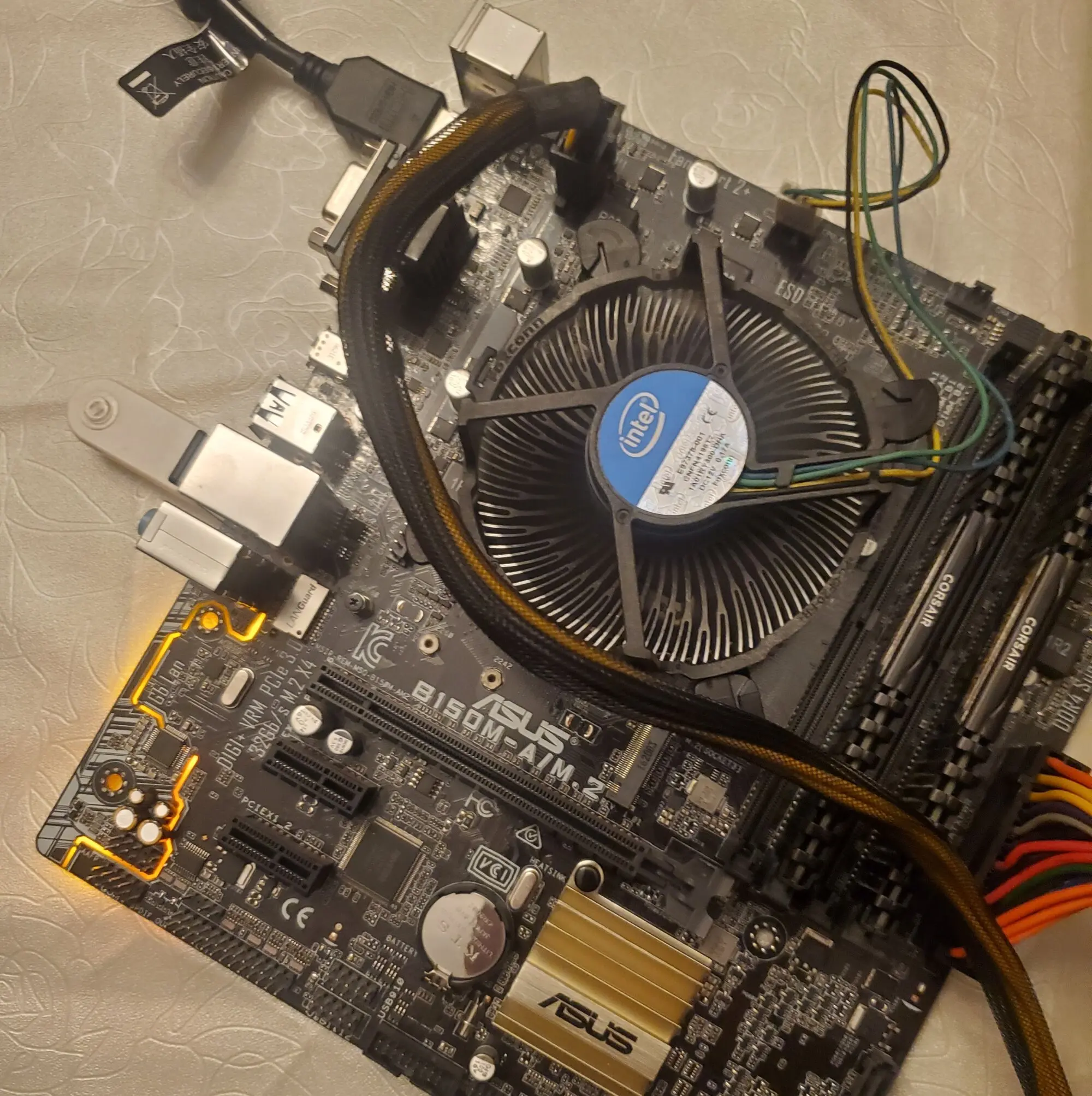
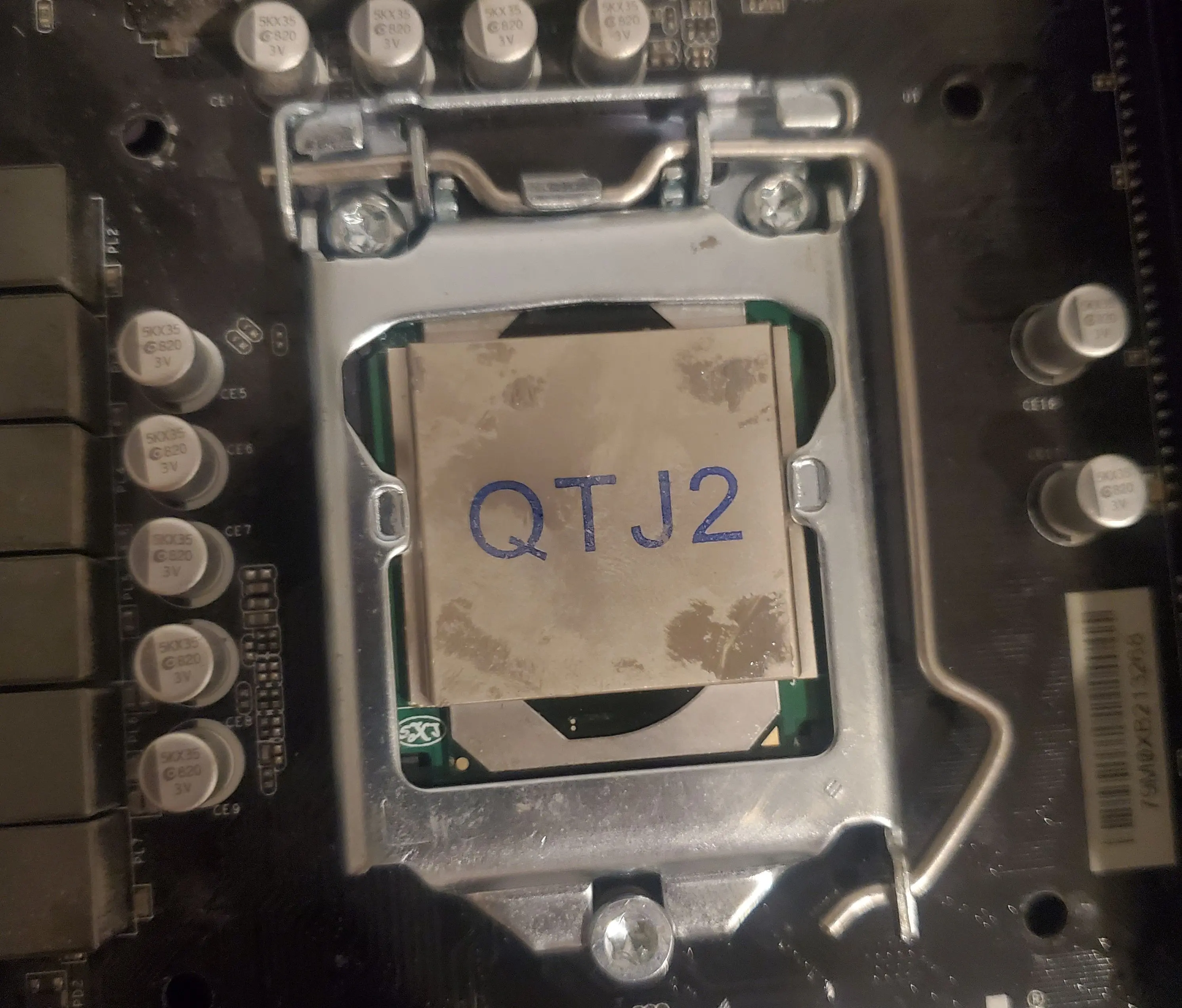
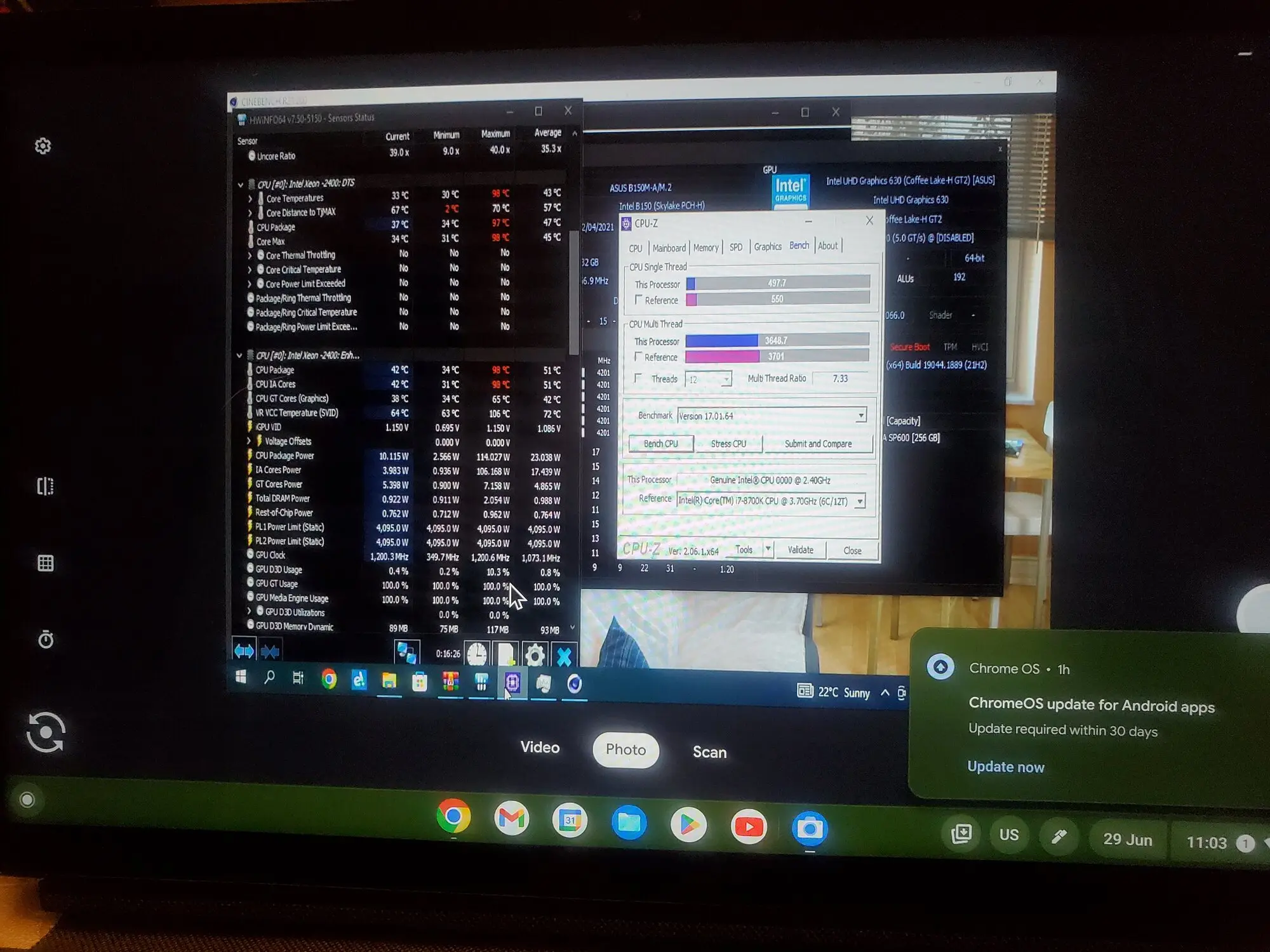
I didn't just want a media server. Since I brought home components from Edmonton, I had everything I needed to assemble a temporary PC: QTJ2, 32GB of RAM, SSD and RTX 2070. I decided to dual-boot Windows and Proxmox, using the Windows installation from the original dorm PC.
The QTJ2 wasn't as fast as my Ryzen 7 1700 for multithreaded tasks, but in gaming it performed surprisingly well, getting 300+ FPS in Overwatch.
In addition to gaming, during that summer, I was working two jobs, including a media internship at a church. With the system I was able to edit video using Premiere Pro and DaVinci Resolve remotely from home, saving me money on gas. It helped me produce a Thank You Video, various internal videos for the church and improved the church's online video announcement with reusable motion graphics and templates.
Proxmox
Meanwhile in Proxmox, I managed to get hardware transcoding working with Jellyfin, with 100+ fps when transcoding 4K HEVC HDR remux, exactly what I wanted for a media server. I also learned about Proxmox and how VMs, LXC, storage and networking work. I believe these experiments are why I’ve succeeded at school and work involving Linux and IT infrastructure.
My curiosity also led me into QEMU/KVM and PCIe GPU passthrough with the RTX 2070. It opened me to a world of possibilities for homelabbing and tinkering, and laid the foundation for the KVM Home Theatre PC.
Wholesome Moment
My Lenovo laptop sacrificed its working USB ports while trying to flash the BIOS, and I could not connect a mouse/keyboard to it. Though I mostly used the mutant CPU desktop for productivity, I had to use my laptop when the desktop was in Proxmox. The desktop had functioning USB ports, so I installed a Debian VM in Proxmox, assigned a static IP, and installed USB Redirector to share my peripherals over the network.
It was a wholesome moment: the desktop knowing the laptop is crippled, and the sacrifice it made to flash the BIOS, just so the desktop with the mutant CPU can exist in the first place, and now it's providing service to help the laptop, like paying respect to a fallen soldier.
Was It Worth It?
If I purchased an office SFF PC as r/homelab suggested, I wouldn't be able to add my RTX 2070 in for gaming and video editing. And buying a conventional used gaming PC would've cost more and removed the tinkering that made this project valuable.
For my specific situation, a temporary computer for 4 months before the transition to a media server, the mutant CPU fit the unusual niche quite well. It's the first time where I experienced the benefits of the used market, high-risk but high-reward hardware.
Before returning to Edmonton, I removed the RTX 2070, the larger SSDs, and my 32GB RAM kit. I purchased 16GB of used DDR4 for the server because it no longer needed that much memory. My dad's Lenovo PC is no longer needed, so I gave it a 128GB SSD and a GT710 GPU and called it a "gaming PC" to sell it. I finally got rid of the GT710 e-waste.
Now that my dad upgraded our home internet, I'm confident to leave my 14TB media library at home and stream from Edmonton. The Intel(R) Genuine 0000 lives, onto the next stage of its life in Linux. As of now, the computer has been running stably for 3+ years, hosting 56TB of hard drives in a SnapRAID array.
Here is the cost breakdown:
| Item | Cost (CAD) | Description |
|---|---|---|
| Media PC | $130 | i5-6500, B250 motherboard, 8GB RAM, 1TB HDD, 600W PSU, case with drive bays and SATA cables |
| i5-6500 | -$40 | Sold on Facebook |
| Roughly 2.5TB of HDDs | -$25 | 2x 1TB and 500GB HDDs from the media PC, sold on Facebook |
| QTJ2 mutant CPU | $89 | AliExpress, after tax/duty and other costs |
| CH341A | $15 | Purchased from Temu |
| 14TB HDD | $266 | Purchased before |
| 16GB DDR4 RAM | $25 | Purchased from Facebook |
| 256GB + 512GB SSDs | $0 | Already owned |
| GT710 and 128GB SSD | -$80 | Sold in conjunction with my dad's old PC |
Conclusion
This project became one of the pivotal points in my self-hosting journey. Before, I had never bothered with used hardware, BIOS modification, or other unconventional ways of building a system. By the end, I had successfully flashed a replacement board and built a machine that did exactly what I needed. I'm glad I took the opportunity to learn about BIOS modding, Proxmox and QEMU/KVM, also persevering through challenges until the end, saving money by hands-on experience.