Defective Laptop Repurposed as a Linux Server
Published: May 01, 2024Introduction
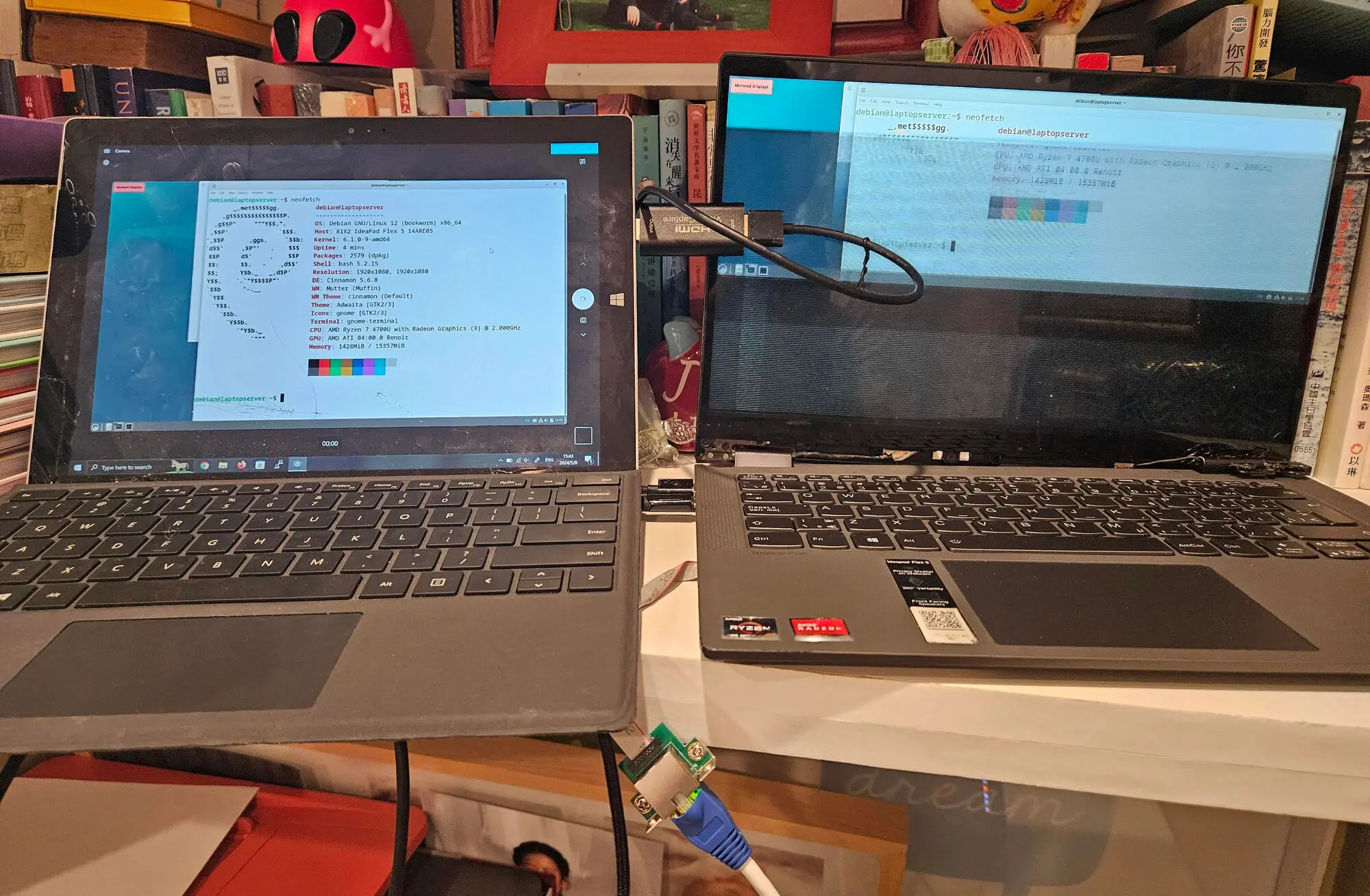
I purchased the Lenovo Flex 5 14ARE05 laptop from Costco in 2021, with a Ryzen 4700U 8-core CPU with 16GB RAM. I've used it extensively for handwritten notes throughout university.
In spring 2023, I accidentally dropped it on concrete and chipped a corner. The damage was minimal and the laptop was fully functional.
Then, in May 2023, I attempted to flash the BIOS of an LGA1151 motherboard using a CH341A, the laptop warned about a high-power USB device; shortly afterward, all USB ports stopped working, including the webcam and Bluetooth. I sent it to Costco for repair, but they denied the claim because of the cosmetic damage when I dropped the laptop.
I was unlucky: two completely unrelated failures had somehow worked against me, leaving me in a rough spot.
But It Still Works Until It Doesn't
But, the laptop still worked.
I primarily use this laptop for taking handwritten notes, which do not require any external peripherals.
For large file transfers, I previously used external hard drives or occasionally connected the laptop directly to my desktop with Ethernet, because our dorm’s isolated network has no concept of a "Local Area Network".
After my media server success and my dad upgrading our home upload speed, I'm storing all my files there to access remotely, reducing the need to move large files around.
When I bring my laptop back home, I still want a monitor, keyboard and mouse to play games. It seemed hopeless, but the solution is USB over TCP/IP. I ran USB Redirector on another computer with working USB ports. The Wi-Fi on the laptop uses PCIe not USB (which is an important detail later in the project). For normal productivity and Minecraft, it worked great, though I wouldn't use it for competitive gaming.
In fact, while in a hotel in Kelowna (400 km from home), when I connected to my WireGuard VPN, I heard the random but familiar Windows device connected sound, and I immediately knew what it was. I was kinda impressed USB works over the internet over such a long distance.
New laptops cost money, and the damaged Flex still worked, so I'm not buying anything new. Saving money and unconventional solutions have been a recurring theme across my projects, and this laptop was no exception.
Until the physical damage got worse: the original chip was larger, one of the hinges was detached, and the display partially detached from the laptop. I had to prop up the screen because it no longer stayed upright.
But, the laptop still worked.
In March 2024, the touchscreen stopped working. The 2-in-1 design and stylus were the main reasons I bought this laptop; now I can no longer write handwritten notes with the laptop.
But, the laptop still worked.
Until one day the display began flickering; it was impossible to read anything on the built-in screen.
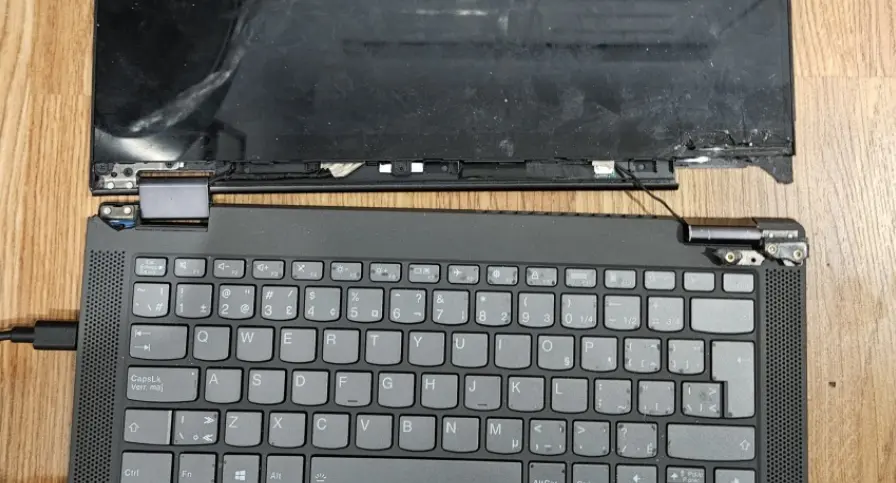
But the laptop still worked. Technically, only if I used an external monitor. For normal university use, it was no longer viable. My friend kindly loaned me his old broken Surface laptop; at least the screen worked.
Research and Procurement
I only had half a semester left; of course I ain't buying a new laptop after my friend lent me his.
Selling was an option, but let's be real, people buy laptops because they use it as a "laptop", which requires a working screen, USB ports and webcam. I'm effectively throwing away an 8-core Ryzen with RAM and SSD for pennies on the dollar.
Repurposing it as a home theater PC (HTPC) is an option; I could use RustDesk or KDE Connect for input over the network. But the main blocker is that the video output is only HDMI 1.4, which does not support 4K HDR. A Zoom machine for my parents also won't work, because the webcam is dead.
The reason the laptop still works is because of the SSD and Wi-Fi, both of these run over PCIe and remained completely functional. I would not want to use Wi-Fi for any serious server though. The pain and frustration of Wi-Fi and solving it with a cable is the biggest reason why I stayed with Linux, but that's the story for another day.
What else uses PCIe x1? And also fits in the A+E key slot? A network card: a 2.5GbE NIC.
At the same time, my friend went to China and I can ask him to bring back a bunch of stuff, so I searched on Taobao.
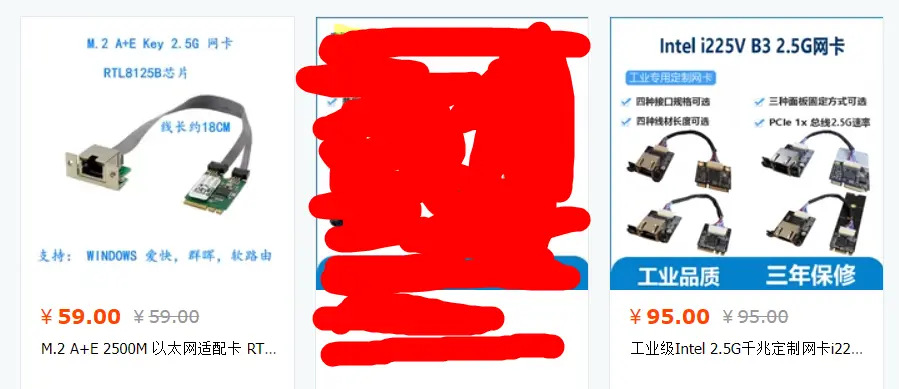
Buying the 2.5GbE NIC was easy: the Realtek RTL8125B is a popular choice costing only 60 RMB (C$12). Then I learned about the disgusting practice of Wi-Fi whitelisting from laptop manufacturers, preventing the Wi-Fi card from being replaced/upgraded. I even consulted Linus Tech Tips forum.
Zigbee
The laptop likely consumes less power than my media server with power-hungry HDDs in a SnapRAID array. I briefly considered shutting down the media server on a schedule while keeping the laptop server running 24/7.
The media server also ran Home Assistant (HA) for home automation. I considered moving HA to the laptop for 24/7 operation.
I was also interested in Zigbee, which requires a Zigbee USB Dongle. Obviously, that's not gonna work.
Fortunately, the solution is Eachen Zigbee Bridge Pro, which bridges Zigbee devices over TCP/IP over MQTT. Even better, it runs Tasmota, which is open-source and fully-local.

The device cost 100 RMB (C$20), I also paid the 10 RMB premium to have Tasmota pre-flashed, for once, I wanted something that "just worked".
Even though I never migrated HA to the laptop or implemented the scheduled shutdown of the media server, the Zigbee bridge is still a nice addition to my home automation stack.
Installation
When everything arrived, I removed the Wi-Fi card to install the 2.5GbE NIC. I was paranoid about drivers, because the laptop has no USB ports and the network is the only way to load packages. So I downloaded every combination of Realtek drivers for Windows and Linux on the laptop.
Fortunately, there was no Wi-Fi whitelisting and there were no driver issues; the NIC was detected in Windows. Ironically, now the laptop went from barely usable to the fastest networking equipment in my house, where all my wired devices are only 1GbE.
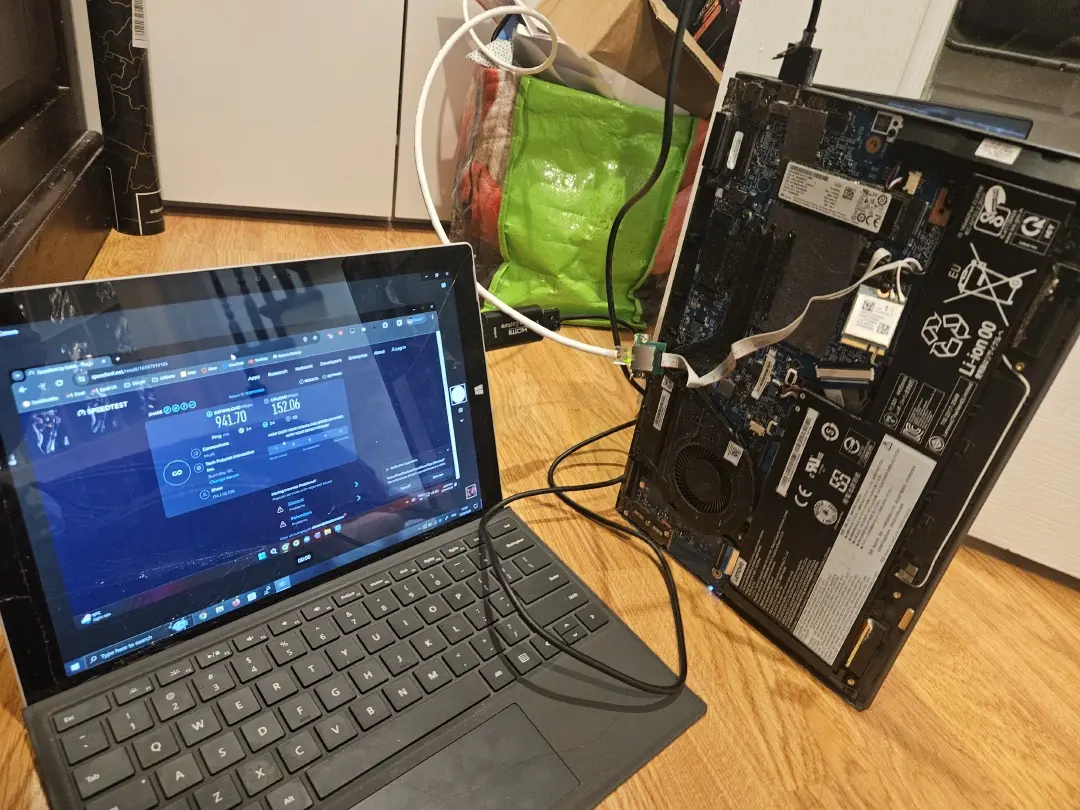
Using the BIOS with the flickering screen was impossible, so I did not do any BIOS tuning at all. Without USB ports, I cannot use bootable media to install Debian, but I resolved it by installing Debian on the SSD using my desktop, then putting it back into the laptop. That was easier than I expected.
Some Problems
Power
Initially, the laptop screamed like a banshee, fans full-tilt. The power measured 17W at the wall, comically high for a laptop. Maybe it's still charging, so I let it settle down, but the power remained high.
After enabling kernel processes in htop, I noticed some USB process using full CPU, the culprit was USB autosuspend. Kinda ironic considering the USB ports are dead. I simply disabled the USB autosuspend tunable in PowerTOP, and the power dropped to 5W while the fan quieted.

For various reasons, the laptop would not enter lower than C3 state; it could be the mainboard, NIC or the fact I didn't (or I literally couldn't) tune the BIOS.
Network
If the Ethernet link went down, say I unplugged the cable, the interface would fail to recover even when I reconnected the cable. Strangely, when I log in and run sudo systemctl restart NetworkManager, the network is restored.
It's not the end of the world; I added a simple cron workaround that runs every 5 minutes.
- ping its own static IP address
- restart
NetworkManagerif the script counts no replies
This checks the laptop’s configured address without relying on another device or an internet connection. In my setup, restarting NetworkManager was effective at recovering from these interface issues.
[ERR] Sun 12 Apr 2026 08:30:01 PM PDT: Problem occured with network interface. Restarting the interface.
[ERR] Tue 09 Jun 2026 05:50:01 PM PDT: Problem occured with network interface. Restarting the interface.
[ERR] Sat 04 Jul 2026 01:10:01 AM PDT: Problem occured with network interface. Restarting the interface.
Results
The laptop eventually became one of my production Linux servers, hosting critical services such as Tailscale exit node, DNS, Docker containers and a modded Minecraft server which I had to move from the main server for the KVM HTPC project. The laptop idles at 8W, which is still acceptable for an 8-core Ryzen CPU.
In addition, the unexpected benefit is that the laptop had a "built-in UPS", which survived multiple physical moves and "obligatory reboots" BC Hydro performs periodically on my infra.
It wasn't all sunshine and rainbows. I've had to reboot the server once due to an accidental sed command that used up all the RAM.
The most stressful incident was breaking apt, where the entire existence depended on a single persistent SSH/TCP connection. Package dependency problems with openssh and systemd traced deep down to libc6 and libssl. Somehow, I managed to fix it. Had I pressed Ctrl-D or experienced even a tiny network drop, I would have needed to remove the SSD and reinstall Debian from scratch.
With careful operation and maintenance, the laptop has been serving me for 2+ years and counting.
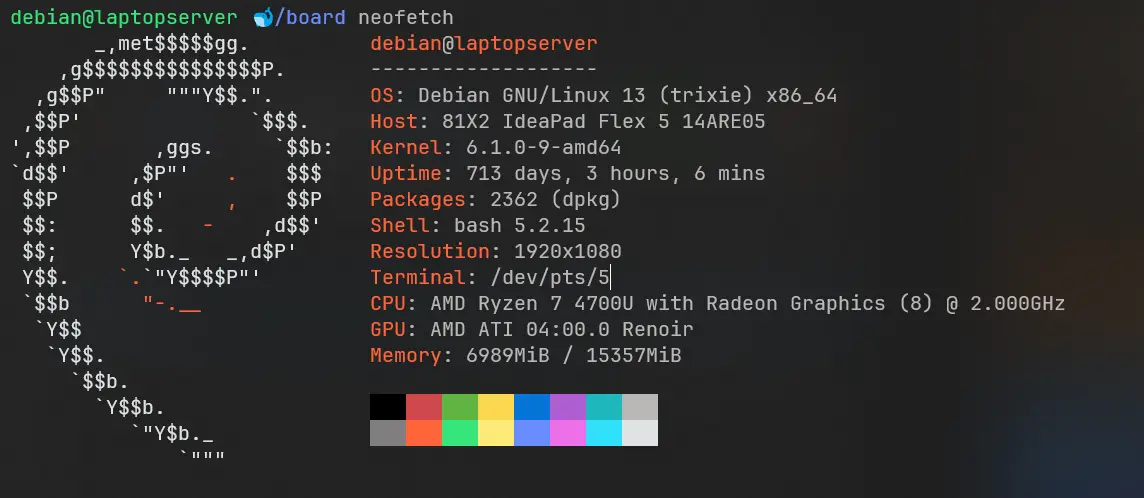
This laptop had almost everything working against it: dead USB ports, a failed webcam and Bluetooth, a detached and flickering display, and severe physical damage. For normal laptop use, it was done for. Most people would've trashed it.
But the laptop still works.
Conclusion
This project is a testament to my knowledge of computer hardware and my ability to find unconventional solutions to problems. I identified what still worked and designed around what did not. I was able to replace Wi-Fi with a 2.5GbE NIC and repurpose the laptop as a low-power home server. Instead of some cash from low-ballers, I have a production server consuming little power and running critical services for years to come.